Download Attachments in Samsung "Email"
How to download and attachments in email messages with Samsung "Email"?
✍: FYIcenter.com
 You can follow these steps to download and attachments in email messages
with Samsung "Email".
You can follow these steps to download and attachments in email messages
with Samsung "Email".
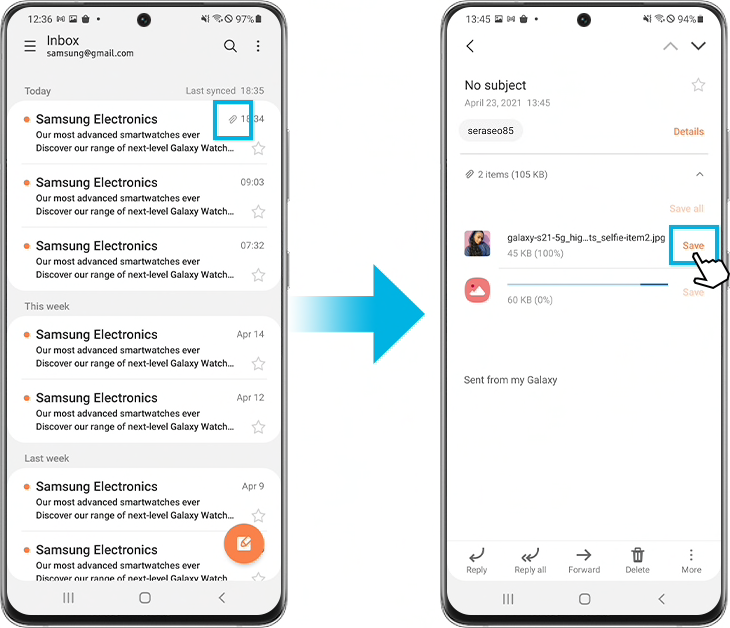
1. Tap on "Mail" app to open it. You see a list of email messages from existing email accounts.
2. Tap on an email message that has attachments.
3. Scroll to the end of message text. You a list of attachments.
4. Tap on "Save" in an attachment line. Samsung "Email" downloads it from the remote email server to your phone. You see the attachment file size with 100% downloaded.
5. Tap on a 100% downloaded attachment, Samsung "Email" displays it, if it is picture. Or show you a list of apps to open it, if it is another file type.
⇒ Find Downloaded Email Attachments in "Files"
2023-02-28, ∼1862🔥, 0💬
Related Topics:

