Save EPUB Books from Email to iBooks
Q
How to save EPUB books from email to my iBooks library? I received an eBook as an email attachment.
✍: FYIcenter.com
A
 You can follow this tutorial to save EPUB books from email to iBooks library.
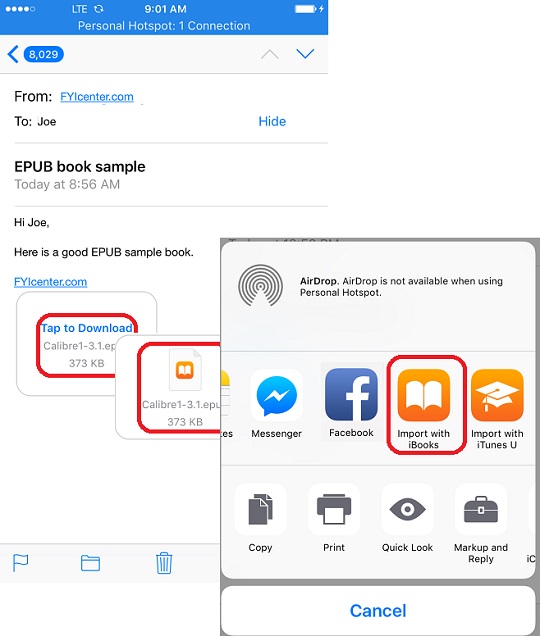
1. Open the email and locate the attached eBook. You see attachment icon.
2. Tap on the attachment icon to download the attachment first. You see the icon changed when download is completed.
3. Press and hold the attachment icon. You see save options.
4. Scroll to the right and select "Copy to iBooks". The eBook is saved in your iBooks library now.
The picture below shows you how to save EPUB books from email to iBooks library:
2018-05-19, ∼4275🔥, 0💬
Related Topics:
