eBook Scrolling View on iBooks
Q
How to switch to scrolling view when reading eBooks on iBooks? I am tired of using the page view.
✍: FYIcenter.com
A
 You can follow this tutorial to switch from page view to scrolling view
when reading eBooks on iBooks.
You can follow this tutorial to switch from page view to scrolling view
when reading eBooks on iBooks.
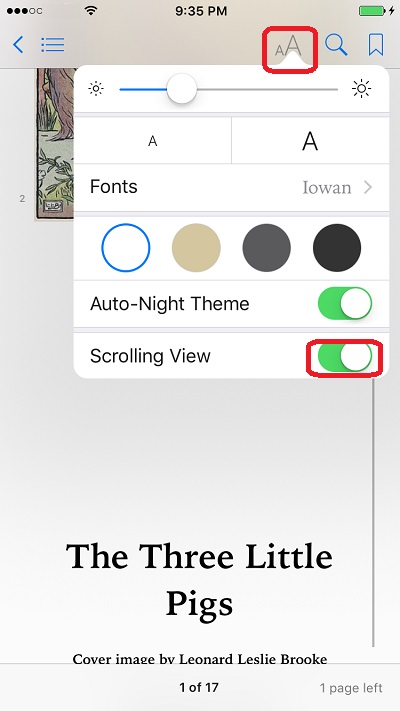
1. Open your eBook on iBooks.
2. Tap on the font icon. You see reading options.
3. Tap on "Scrolling View" to turn it on. You see book contents displayed in scrolling view now.
4. You can go back to the page view, by turning "Scrolling view" off.
The picture below shows you how to switch between page view and scrolling view in iBooks:
⇒ eBook Highlights and Notes on iBooks
2018-06-01, ∼3571🔥, 0💬
Related Topics:
