Receive AirDrop PDF Files on iPhone
How to receive AirDrop PDF book and other files on my iPhone? My friend wants to send me some interesting PDF books.
✍: FYIcenter.com
 Here are the correct steps to receive AirDrop PDF books and other files on your iPhone.
1. Turn on AirDrop on your iPhone, in "Settings > General > AirDrop", and move closer to your friend.
2. Ask your friend to AirDrop the picture. You see the AirDrop alert message show up.
3. Tap "Accept" on the alert box to receive incoming files.
4. Since the incoming file is a PDF book, not a picture or video, you see a list of Apps that can store PDF files, "Photos" is not included.
5. Tap on "Books", which is the best app to read PDF books. And continue to save the PDF book into "Books" library.
6. Open the PDF book in "Books". Enjoy reading it.
Of course, tap "Reject" on the alert box, if someone you don't know is trying to send you a file. It could be computer virus.
The picture below shows you how to receive AirDrop photo/video from your friend to your iPhone.
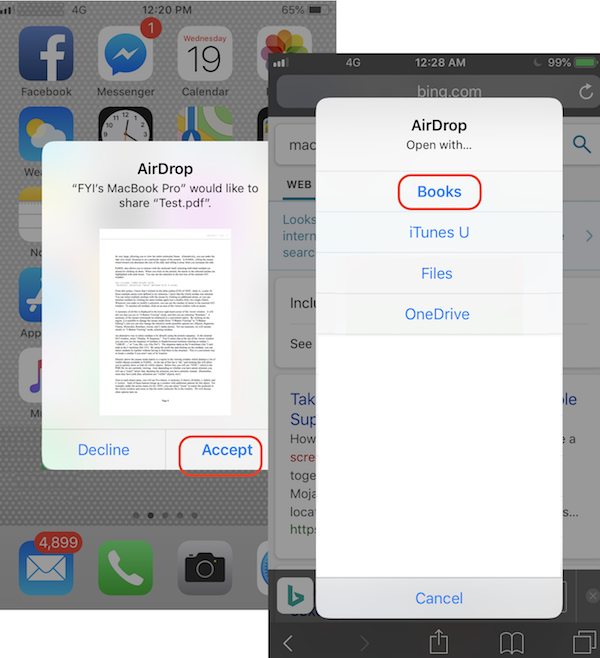
You can follow the above steps to receive any types of AirDrop files on your iPhone.
⇐ AirDrop PDF File Out Off macOS
2020-06-08, ∼2282🔥, 0💬
Related Topics:

