Seting up (Pairing) Apple AirPods with iPhone
How to set up, or pair, my Apple AirPods with my iPhone?
✍: FYIcenter.com
 Setting up, also called pairing, your AirPods with your iPhone for the first time is easy.
Just follow the steps below:
Setting up, also called pairing, your AirPods with your iPhone for the first time is easy.
Just follow the steps below:
1. Make sure that the AirPods Case was fully charged.
2. Make sure that AirPods were stored in the case long enough to be charged.
3. Open iPhone and turn on "Settings > Bluetooth".
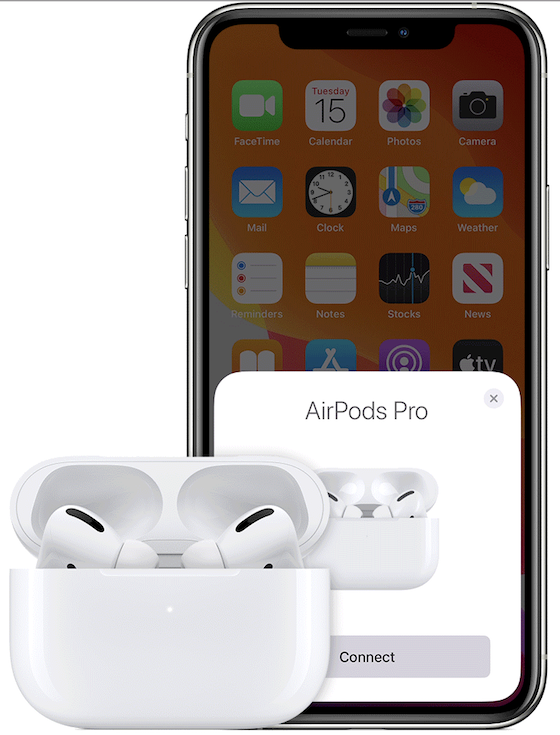
4. Open the case with your AirPods inside, and hold it next to your iPhone. You see a setup animation appears on your iPhone.
5. Watch the animation to the end. And tap "Connect".
You AirPods are connected to your iPhone and ready to use.
⇒ Reconnect/Disconnect Apple AirPods with iPhone
2021-02-16, ∼2208🔥, 0💬
Related Topics:

