Use AirPrint on iPhone
How to Use AirPrint on iPhone?
✍: FYIcenter.com
 The AirPrint feature on iPhone is always enabled.
You can use it from any apps as part of the "Share" function group.
The AirPrint feature on iPhone is always enabled.
You can use it from any apps as part of the "Share" function group.
For example, if you have a printer with AirPrint enabled on the WiFi network and your iPhone is connected connected to the same WiFi network, you can follow this tutorial to print a photo from your iPhone.
1. Open the photo on the Photos app.
2. Tap the share icon ( )
and select the printer icon (
)
and select the printer icon ( ),
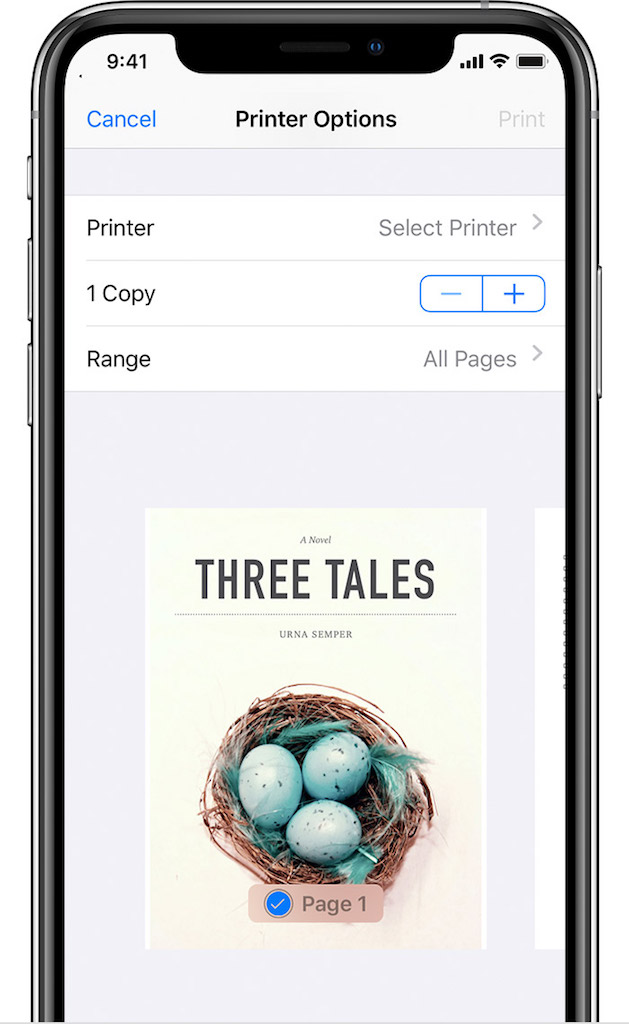
You see the "Printer Options" screen.
),
You see the "Printer Options" screen.
3. If you have mutiple printers on the WiFi network, you need to tap "Select Printer" to select a printer.
4. Once to printer is selected, tap the "Print" link on top right corner, to send the document to the printer.
Note that the Printer icon is accessible through a different share icon
( )
of the menu icon (
)
of the menu icon ( )
for some other apps.
)
for some other apps.
2021-04-21, ∼2807🔥, 0💬
Related Topics:



