Android: Settings > About Phone
Q
What information is provided under "Settings > About Phone"?
✍: Guest
A
 The "Settings > About Phone" screen provides you basic information
about you Android phone, including phone number, SIM card,
device model, software, etc.
The "Settings > About Phone" screen provides you basic information
about you Android phone, including phone number, SIM card,
device model, software, etc.
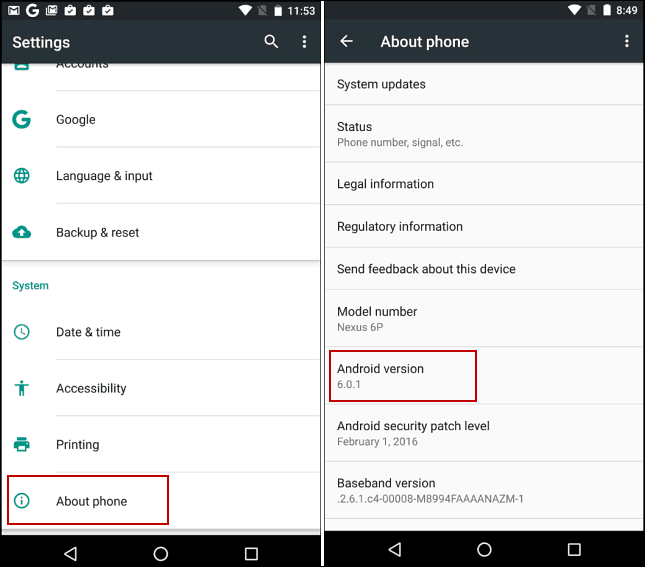
Here is an example:
1. Go to home screen, and tap on "Settings" icon
().
You see a list of setting sections.
2. Scroll down and tap "About Phone" in the "System" section. You see a list of sub-sections and settings:
System updates
Status (Phone number, signal, etc.)
Legal information
Regulatory information
Model number
Android security patch level
Base and version
...
2023-07-11, ≈25🔥, 1💬
Related Topics:


