File Folders on Internal Storage
Q
What are those folders for on my Samsung phone's internal storage?
✍: FYIcenter.com
A
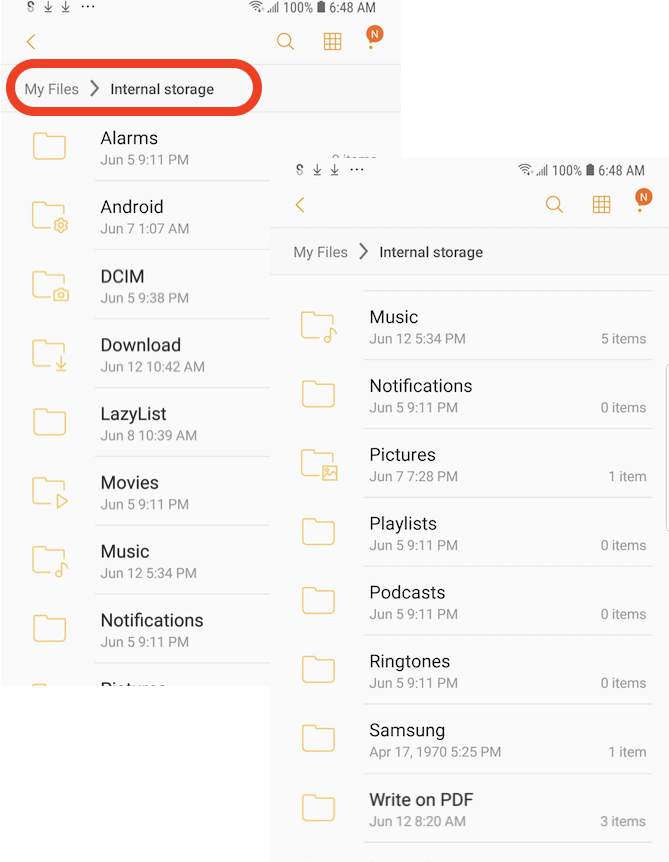
 If you open the "Internal Storage" with "My files" on your Samsung phone,
you see a list folders that comes with the phone and created by different apps.
If you open the "Internal Storage" with "My files" on your Samsung phone,
you see a list folders that comes with the phone and created by different apps.
Here is a brief description of each folders.
- Alarms - Audio files for custom alarm rings you have created.
- Android - Data files created and managed by apps. Don't delete any files from this folder. Some of them are very important to keep apps running normally.
- DCIM - Videos, photos and screenshot you have captured by the phone.
- Downloads - Downloaded files.
- Lazylist - Image files cached by some apps.
- Movies - Movies created and shared by apps.
- Music - Music created and shared by apps.
- Notifications - Audio files for custom notification rings you have created.
- Pictures - Pictures created and shared by apps.
- Playlist - Playlist files used by the music player.
- Podcasts - Podcast files created and shared by apps.
- Ringtones - Audio files for custom call ringtones you have created.
- Samsung - Files created and managed by Samsung apps.
- Videos - Videos created and shared by apps.
- Write on PDF - PDF files created by "Write on PDF" app.
- ... - Other folders are created by various apps.
⇒ Functionalities in "My Files" App
2022-10-01, ∼3091🔥, 0💬
Related Topics:

💬 2025-09-20 FYIcenter.com: @Mike, We will add it later.
💬 2025-09-17 Mike Cahill: Why on earth is there no check mark icon in the text section?

