Manage Photos and Videos on macOS
How to manage photos and videos on my macOS computer? I want to view or delete some of them.
✍: FYIcenter.com
 Once you have imported photos or videos to your macOS computer,
you can manage them in a similar way as on your iPhone.
Once you have imported photos or videos to your macOS computer,
you can manage them in a similar way as on your iPhone.
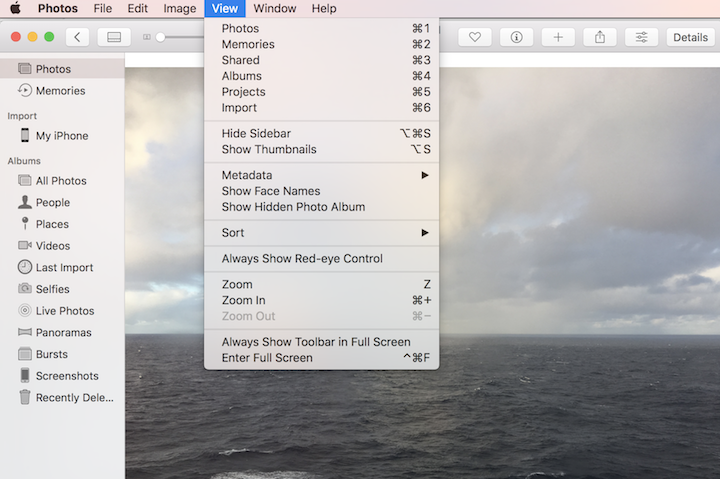
1. Start "Photos" app on your macOS computer. You see a list of photos and videos from your default Photos library. If you don't see them, click "Photos" from the left menu.
2. Double-click on a photo. You see the photo displayed in full size.
3. Use menu commands to view and manage the displayed photo:
- Room in or room out to see details of the photo.
- Move it to a specific album.
- Export it out of the library to local file.
- Share it with other apps.
- Delete it.
- ...
2023-06-11, ∼2073🔥, 0💬
Related Topics:

 Unlock
How can I unlock my phone from TracFone? 2023-01-23, ∼1962🔥, 1💬
💬 2023-01-23 FYIcenter.com: You can call TracFone support desk. They will unlock it for you.