View Photo Details on macOS
Q
How to view detailed information of a photo or video on my macOS computer? I want to know when the photo was taken and where.
✍: FYIcenter.com
A
 To view photo or video detailed information, you can follow this tutorial.
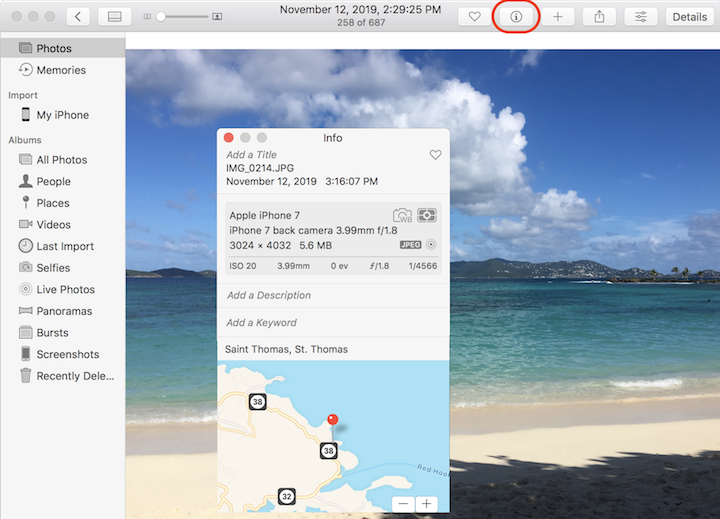
1. Double click on the photo you are interested in. You see the photo displayed in full size.
2. Click the "Get Info" icon, or Control-click to select "Get Info". You see the detailed information displayed, including: date, time, location, and technical information.
The location information could be empty, if the photo was taken without the location function turned on.
⇒ View Photo Locations on Map on macOS
2023-06-11, ∼2816🔥, 0💬
Related Topics:

