Uninstall Apps from My iPad
Q
How to unistall or delete apps from my iPad?
✍: FYIcenter.com
A
 If an app is not needed any more, you can uninstall it
from your iPad to save storage space. You can do this in 2 ways.
If an app is not needed any more, you can uninstall it
from your iPad to save storage space. You can do this in 2 ways.
1. Delete app on app screen.
- Press and hold the app on home screen until you see an "x" icon displayed.
- Tap on the "x" icon. You see the "Delete app" prompt.
- Tap on the "Delete" button. The app and its data will be deleted from your iPad.
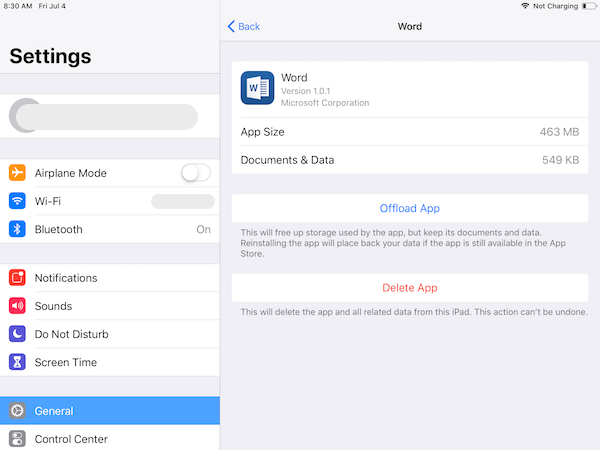
2. Delete app in "Settings".
- Go to "Settings > General > iPad Storage". You see a list of all apps on your iPad.
- Tap on the app name. You storage usages of this app with "Offload" and "Delete" options.
- Tap on the "Delete App" option. The app and its data will be deleted from your iPad.
2026-02-02, ∼1471🔥, 0💬
Related Topics:
