Viewing PDF File with iBooks on iPhone/iPad
Q
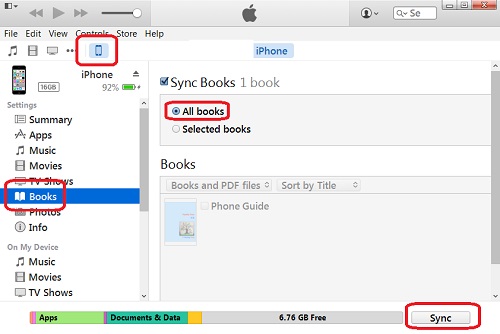
How to view PDF files with iBooks on my iPhone? I have some PDF files transferred from my iTunes library,
✍: FYIcenter.com
A

If you have PDF files transferred from my iTunes library to iPhone, you can follow these steps to view PDF files with iBooks
1. Tap iBooks on your iPhone. You will see PDF files listed on the screen. These are PDF files that you have transferred from your iTunes library.
2. Tap on PDF file to open and view.
iBooks is simple PDF viewer. It allows you to:
- See a list of pages.
- Search text in the PDF file.
- Send the PDF as an email.
But iBooks has the following limitations:
- Can not follow internal hyper-links.
- Can not share the PDF to other applications, like Adobe PDF Reader
2016-02-29, ∼3078🔥, 0💬
Related Topics: