Adjustment Tools in iPhone Photos
Q
How to use adjustment tools in iPhone Photos? I want to change contrast of my picture.
✍: FYIcenter.com
A
You can start adjustment tools in iPhone Photos as described below:
1. Tap "Photos". You will see a list of pictures on your iPhone.
2. Tap and open the picture you want to edit. You will see the picture in display mode.
3. Tap "Edit" on the top right corner. You will see the picture in edit mode.
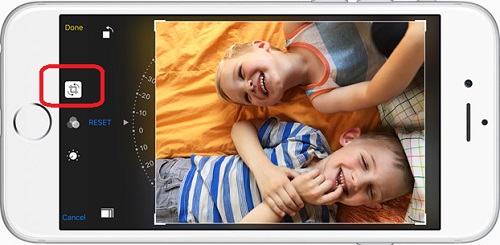
4. Tap the "Adjustment" icon at the bottom. You will see the picture in adjustment mode.
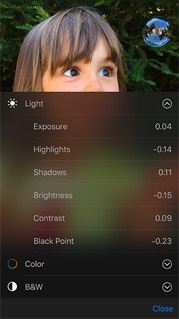
In adjustment mode, the following tools are supported. You need to tap the menu icon to access individual adjustment options.
- Light adjustment - You can change exposure, highlights, shadows, brightness, contrast, and black point.
- Color adjustment - You can change saturation, contrast, and cast.
- Black and white adjustment - You can change intensity, neutrals, tone, and grain.
2016-03-04, ∼2449🔥, 0💬
Related Topics: