Categories:
Android (32)
Apple (iPhone) (829)
Apps (26)
BlackBerry (3)
General (438)
HTC (6)
Huawei (83)
LG (43)
Motorola (50)
Nokia (4)
Palm (10)
Samsung (139)
Sony (1)
Technology (17)
Windows Phone (209)
ZTE (5)
Online Tools:
Tutorial Collections:
Other Resources:
Filter Tools in iPhone Photos
How to use filter tools in iPhone Photos? I want to apply the "Fade" filter to my picture.
✍: FYIcenter.com
You can start filter tools in iPhone Photos as described below:
1. Tap "Photos". You will see a list of pictures on your iPhone.
2. Tap and open the picture you want to edit. You will see the picture in display mode.
3. Tap "Edit" on the top right corner. You will see the picture in edit mode.
4. Tap the "Filter" icon at the bottom. You will see the picture in filter mode.
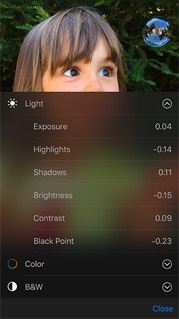
In filter mode, you can apply these filters: Mono, Tonal, Noir, Fade, Chrome, Process, Transfer, and Instant,
2016-03-07, ∼2373🔥, 0💬
Popular Posts:
What are Two-Factor Authentication Settings for my iCloud account? Why do I need to enter a two-fact...
What icons are used on Samsung Galaxy Phone? Here is a list of commonly used icons on Samsung Galaxy...
When was Samsung Galaxy Note II phone first released? How does Samsung Galaxy Note II phone look lik...
What is phone camera aperture? What does an f/2.2 camera mean? Camera aperture controls the brightne...
When was Nokia Lumia 920 phone first released? How does Nokia Lumia 920 phone look like? What are th...