Using Camera Digital Zoom on iPhone
How to use the camera digital zoom on my iPhone? I want the subject to become larger on the photo.
✍: FYIcenter.com
 If you want the subject to become larger,
you can use the camera digital zoom on the iPhone
as described below:
If you want the subject to become larger,
you can use the camera digital zoom on the iPhone
as described below:
1. Pointing the iPhone camera to the subject.
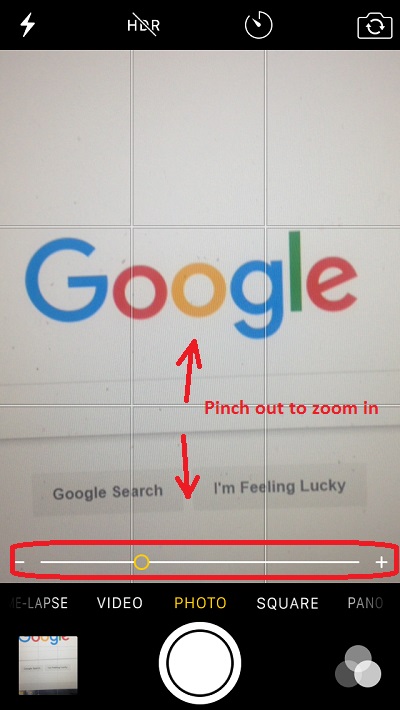
2. Use the two-finger pinch out gesture on the screen to zoom in the subject. You see the subject becoming larger.
3. Use the two-finger pinch in gesture on the screen to zoom out the subject. You see the subject becoming smaller.
4. If you are happy with subject size, hold the iPhone still and press the shutter to take the photo.
When you are pinching in or out the subject, you see the digital zoom indicator displayed near the bottom of the screen.
The picture below shows you how to use the camera digital zoom on your iPhone:
2017-05-05, ∼3611🔥, 0💬
Related Topics:

