'Hello' Screen on Apple iPhone
Q
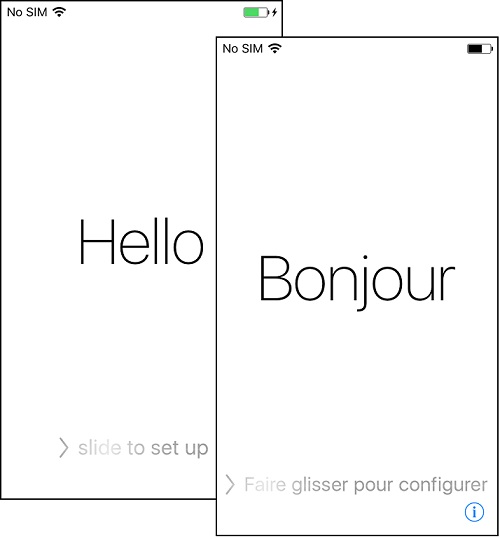
What is the "Hello" screen on my Apple iPhone? It displays the "Hello" message in multiple languages.
✍: FYIcenter.com
A
 Apple iPhone will display the "Hello" screen, if you have a new iPhone,
or an iPhone has been deactivated.
Apple iPhone will display the "Hello" screen, if you have a new iPhone,
or an iPhone has been deactivated.
At the button of the "Hello" screen, iPhone displays the "slide to set up" help text. If you don't touch the screen, it repeats the text on the screen in other languages, like "Bonjour", "Hola", etc.
What you need to do slide the screen to the right to start the set up, also called activation, process.
The picture below shows you the "Hello" screen of Apple iPhone that requires set up:
2020-05-15, ≈75🔥, 2💬
Related Topics:

