Installing SIM Card on Apple iPhone
Q
How to install a SIM card into my iPhone?
✍: FYIcenter.com
A
 Installing a SIM card into your iPhone can be done by following
these simple steps:
Installing a SIM card into your iPhone can be done by following
these simple steps:
1. Push down the sleep/wake button and hold it until the Power slider appears. Then slide it to turn the iPhone off.
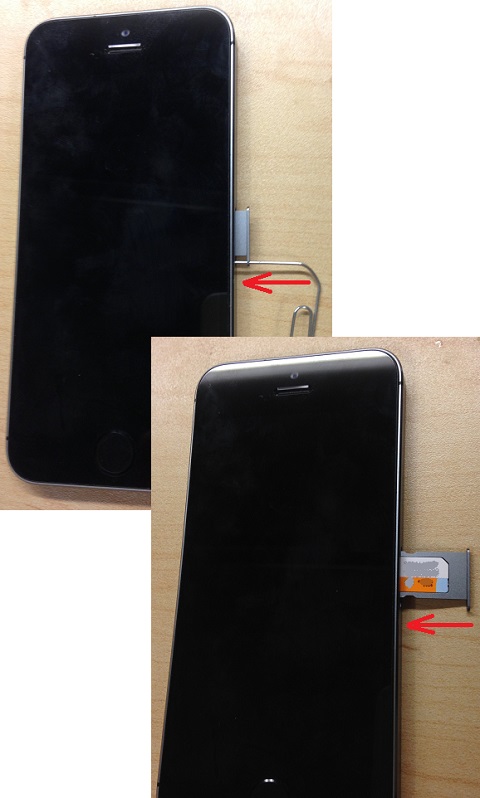
2. Put one end of a paper clip into the tiny hole on the SIM card tray on the right side of the iPhone.
3. Push the paper clip hard to popup the SIM card tray.
4. Put the SIM card into the tray with the carrier logo side face up.
5. Push the tray back into the iPhone.
The picture below shows you how to install a SIM card into an iPhone:
⇒ Activation Lock - Used iPhone Linked to Apple ID
2017-05-01, ∼4129🔥, 0💬
Related Topics:

