Taking Time-Lapse Video with iPhone
How to take time-lapse video with my iPhone camera?
✍: FYIcenter.com
 Time-lapse video is a nice feature on iPhone camera
that allows to shoot videos a slower frame rate and play back
at the normal 30 fps frame rate.
Time-lapse video is a nice feature on iPhone camera
that allows to shoot videos a slower frame rate and play back
at the normal 30 fps frame rate.
The end result is that moving subjects in the video appear to move faster.
Here are the steps you can follow to take time-lapse video with your iPhone camera:
1. Mount your iPhone a tripod and open the camera.
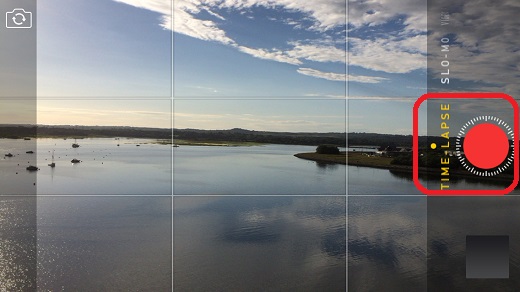
2. Swipe the camera mode selections above the shutter icon and select "TIME-LAPSE". You see scales added around the shutter icon.
3. Focus the camera. Press the center of the screen until the AE/AF Lock indicator shows up.
4. Press the shutter icon. The camera starts to record frames.
5. Press the shutter icon again to stop recording when you have recorded enough time.
6. Your time-lapse video will be created automatically.
The picture below shows you how to take time-lapse video with your iPhone (source: isoguides.net):
⇒ Frame Capture Rate of Time-Lapse Video with iPhone
⇐ iPhone Camera Video Recording Resolutions
2017-06-23, ∼2821🔥, 0💬
Related Topics:

