Start iTunes for Mac First Time
Q
How to start iTunes for Mac for the first time? I have installed it on my Mac computer.
✍: FYIcenter.com
A
 You can follow this tutorial to start iTunes for Mac.
1. Click "iTunes" from the Launchpad or Applications folder. You see the license agreement screen.
2. Click "Agree" to continue. You see the "Welcome" screen.
3. Click "No Thanks" for the question of "Do you agree to share details about library with Apple to see artist images, album covers, and other related information in your library?"
iTunes home screen is displayed and ready to use.
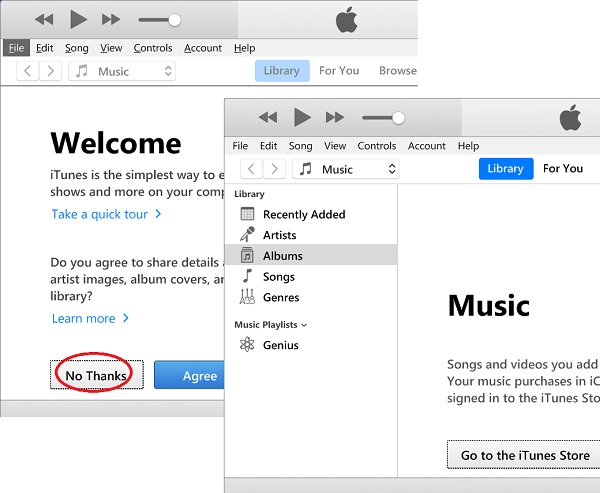
iTunes is ready to use on your Mac computer.
⇒ Check for iTunes Updates on Mac
⇐ Download and Install iTunes for Mac
2021-04-04, ∼2540🔥, 0💬
Related Topics:

