Downloaded Free Music from Amazon
How to download some free music from Amazon?
✍: FYIcenter.com
 If you want to download some free music from Amazon, you can follow
this tutorial.
If you want to download some free music from Amazon, you can follow
this tutorial.
1. Go to Amazon Website.
2. Login to your Amazon account. If you don't have one, sign up now. It's free to get Amazon account.
3. Navigate to "Digital Music" department and select your favorite genre like "Classical". You see lists of classical items presented to you.
4. Scroll down to the bottom. You see the list of "Top Free Songs".
5. Click "See more free songs" link You see more free music items.
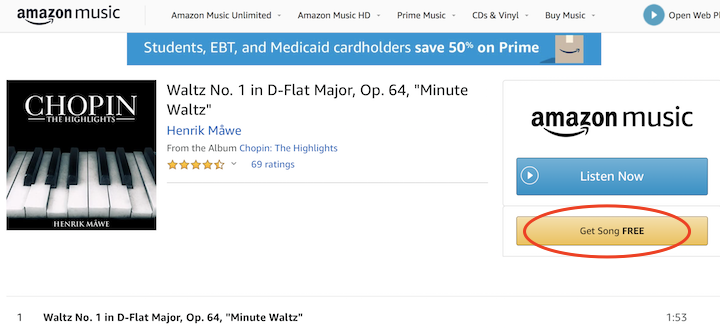
6. Select 'Waltz No. 1 in D-Flat Major, Op. 64, "Minute Waltz"'. You see details of the selected music displayed with the "Get Song FREE" button.
7. Click "Get Song FREE". You see a $0.00 order.
8. Click "Pay with USD". You see order getting processed.
9. Click "Download purchases". You see a music file "05 - Waltz No. 1 in D-Flat Major, Op. 64, _Minute Waltz_.mp3" in your download folder.
10. On you Mac computer, the music file will be automatically added to your iTunes library.
⇒ Add Music Files to iTunes Library on Mac
2020-10-10, ∼2244🔥, 0💬
Related Topics:
