Block Ads in Samsung "Internet"
Q
How to block ads in Samsung "Internet"?
✍: FYIcenter.com
A
 If you want to block ads in Samsung "Internet",
you need to select and install an ad blocker
as shown below.
If you want to block ads in Samsung "Internet",
you need to select and install an ad blocker
as shown below.
1. Open Samsung "Internet", and tap on Menu icon near the bottom right corner. You a list of menu options.
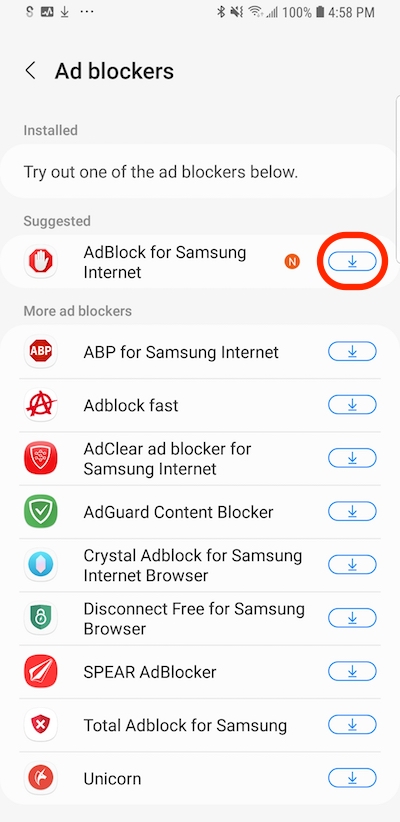
2. Tap on "Ad blockers". You see a list of available ad blockers.
AdBlock for Samsung Internet
ABP for Samsung Internet
Adblock fast
AdClear and blocker for Samsung Internet
AdGuard Content Blocker
...
3. Tap on Download icon of the one suggested by Samsung to install it.
⇐ "You Were Tracked" - Samsung "Internet" Warning
2023-03-28, ∼2056🔥, 0💬
Related Topics:


