Android File Transfer for Mac Computer
What is "Android File Transfer" for Mac computer?
✍: FYIcenter.com
 "Android File Transfer" is a Mac application that
allows you to browse and transfer files between your Mac computer
and your Android device.
You can follow these steps to download and use "Android File Transfer".
"Android File Transfer" is a Mac application that
allows you to browse and transfer files between your Mac computer
and your Android device.
You can follow these steps to download and use "Android File Transfer".
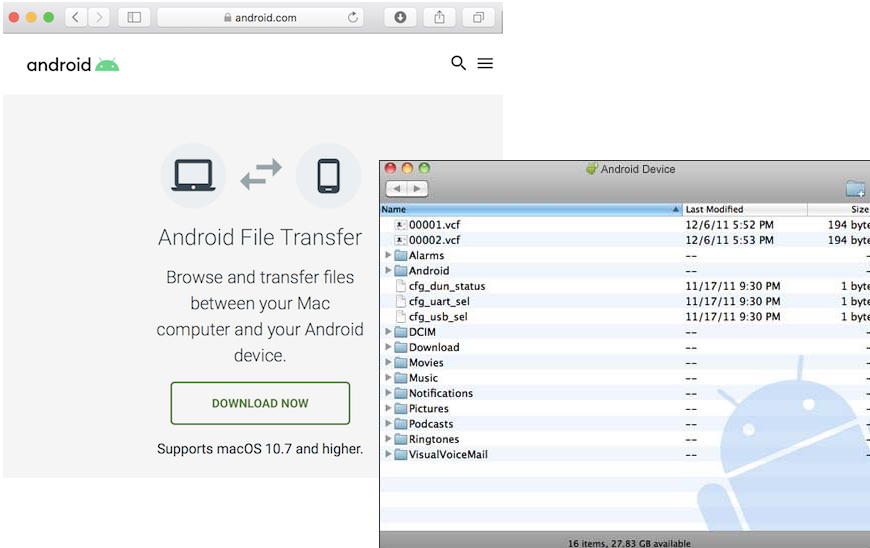
1. Go to https://www.android.com/filetransfer/. You see "Android File Transfer" home page.
2. Click "DOWNLOAD NOW". You see "AndroidFileTransfer.dmg" downloaded.
3. Double click on "AndroidFileTransfer.dmg" to install it.
4. Close Samsung Smart Switch or Samsung Kies, if it is running.
5. Restart you Mac computer after the installation is done.
6. Connect your Android device to your Mac computer with a USB cable.
7. Start "Android File Transfer". You see a file browser showing folders and files from your Android device.
⇒ "Download" File Folder on Android
2023-02-19, ∼2602🔥, 0💬
Related Topics:


