Samsung Galaxy Set Up - Wi-Fi and Time Zone
How to set Up a Samsung Galaxy - Wi-Fi Connection and Time Zone?
✍: Guest
 Wi-Fi Network
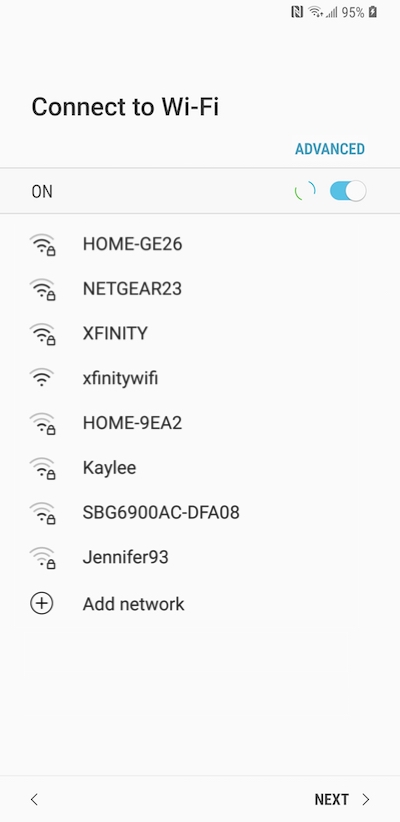
If you are setting up your phone within range of your home Wi-Fi network or an accessible Wi-Fi hotspot, you will now be given the chance to connect. Assuming there is a working SIM card in your device at this point, you can choose to skip this step if you want to use the network data connection for set up.
Connecting to the Internet through Wi-Fi during set up is recommended. It allows system software on your phone to be updated immediately.
Timezone - Date and Time
Set the date and time manually or tap the checkbox next to Automatic Date and Time. The phone will use your chosen timezone, along with your Wi-Fi or data connection to pull in the current time and date. If this is displaying incorrectly, set the time and date manually for now. You can always switch to automatic updating once the phone is fully set up.
⇒ Samsung Galaxy Set Up - Google Account
2013-06-22, ∼6069🔥, 0💬
Related Topics: