Purchased Items to Be Transferred on iPad
What are purchased items on my iPad that needs to be transferred to iTunes library?
✍: FYIcenter.com
 When you try to upgrade iOS on your iPad through iTunes on a remote PC,
iTunes may give a warning on purchased items on your iPad.
When you try to upgrade iOS on your iPad through iTunes on a remote PC,
iTunes may give a warning on purchased items on your iPad.
1. Connect your iPad to iTunes on a remote PC as described in the last tutorial.
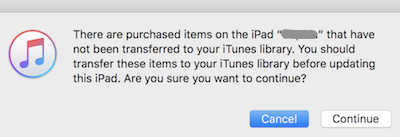
2. Click "Update" in iTunes to upgrade iOS on your iPad. iTunes displays the following warning:
There are purchased items on the iPad “***” that have not been
transferred to your iTunes library. You should transfer these
items to your iTunes library before updating this iPad.
Are you sure you want to continue?
[Cancel] [Continue]
3. Click "Cancel" to stop the upgrade.
4. Click "Account > Authorizations > Authorize this computer".
5. Enter the Apple ID and password that was used to purchase those items on your iPad. This allows the iTunes to be able receive those purchased items.
6. Click "File > Devices > Transfer purchases from (iPad)" to transfer those purchased items from your iPad to iTunes.
7. Go back to start the Upgrade process again. You should not get that warning message any more.
Note that you can ignore the purchased items warning, and continue to perform the upgrade. Your purchased items will not be removed from the your iPad. The only risk of losing them is when the upgrade corrupted your iPad. If that happens, you can file damage claim again Apple.
⇒ Identify Purchaser of Media File in iTunes
2025-09-24, ∼1795🔥, 0💬
Related Topics: