Samsung Galaxy Set Up - Location and Dropbox
How to set Up a Samsung Galaxy - Location Settings and Dropbox?
✍: Guest
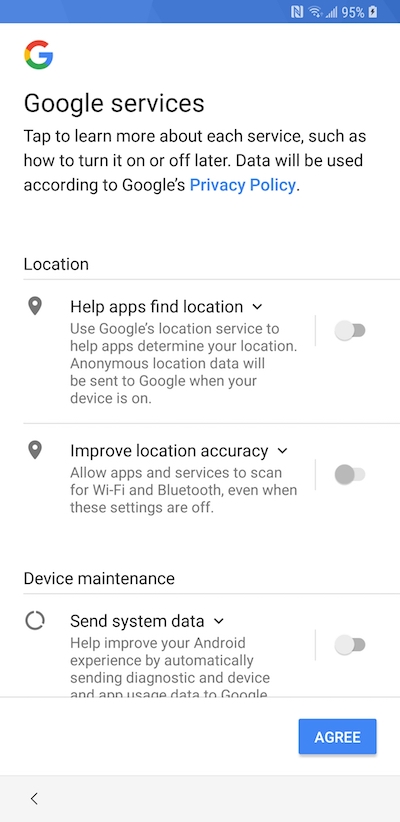
 Location Settings
Many apps and services need to use your location to provide all of their features. During this part of the set up process you choose whether to allow full or partial (or no) location information access. You can change these setting later in the main phone settings menu (Settings > Location Services).
DropBox
Your Samsung phone can link up with Dropbox and automatically store your photos and music files in the cloud. This means that you can save space on your phone, and be sure that your images are backed up and safe. If you have an existing Dropbox account, you can simply sign in. If not, you can set up an account during this step.
Your Samsung is now set up and ready to use. One final option is Easy Mode, which changes the default layout of the home screens so that they are easier to view and to use if you have never used a smartphone before. If you choose this option, you can change to the normal mode from the main settings screen.
⇒ Samsung Galaxy Set Up - Samsung Account
2013-06-22, ∼7136🔥, 0💬
Related Topics: