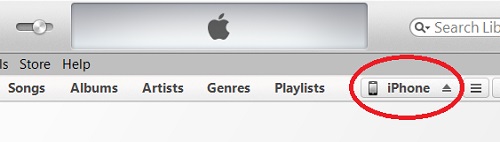
Transferring Pictures from iPhone to Computer
How to transfer pictures from my iPhone to my Windows computer? I have too many pictures on my iPhone and I want to move some of them to the hard drive of my computer.
✍: FYIcenter.com

Transferring pictures from your iPhone to your Windows computer is simple using the USB (Universal Serial Bus) cable:
1. Connect your iPhone to your Windows computer with the USB cable.
2. Windows will automatically download and install the device drive to support your iPhone, if needed.
3. Windows will display the AutoPlay option screen to let you to decide how to use iPhone data.
4. Select the "Open device to view files" option. Your iPhone will be displayed as storage device in Windows Explorer screen.
5. Double-click on iPhone device icone. You will see one folder called DCIM (Digital Camera IMages).
6. Double-click on DCIM. You will see folders of your pictures on the iPhone.
7. Now you can start select, copy (or cut) and paste pictures from your iPhone to other storage drives on your computer.
But you can not copy and paste pictures back to your iPhone in this way. The iPhone device does not allow it. You have to use iTunes or iCloud to put picture into your iPhone.
2014-04-28, ∼4202🔥, 0💬
Related Topics: