Installing iTunes for iPhone on Windows
How to download and install iTunes on Windows computer? I was told to use iTunes to manage my iPhone.
✍: FYIcenter.com
iTunes is desktop application developed by Apple to play music and movies and to manage iPhone and iPad devices. You should download and install iTunes if you have a iPhone.
1. Go to iTunes home page.
2. Click the "Download iTunes" button on the top right corner.
3. Review the download section on the left side. The web page knows which version you need to download. For example, "iTunes 11.1.5 for Windows XP, Vista or Windows 7" is displayed if you are using Windows 7.
4. Click the "Download Now" button. And save the setup file, iTunesSetup.exe, to a temporary folder. The setup file is about 131 MB and it may take some time to download.
5. Double-click on iTunesSetup.exe to start the installation. And follow installation instructions to finish.
6. Click Start button, then "All Programs > iTunes > iTuens" to start iTunes.
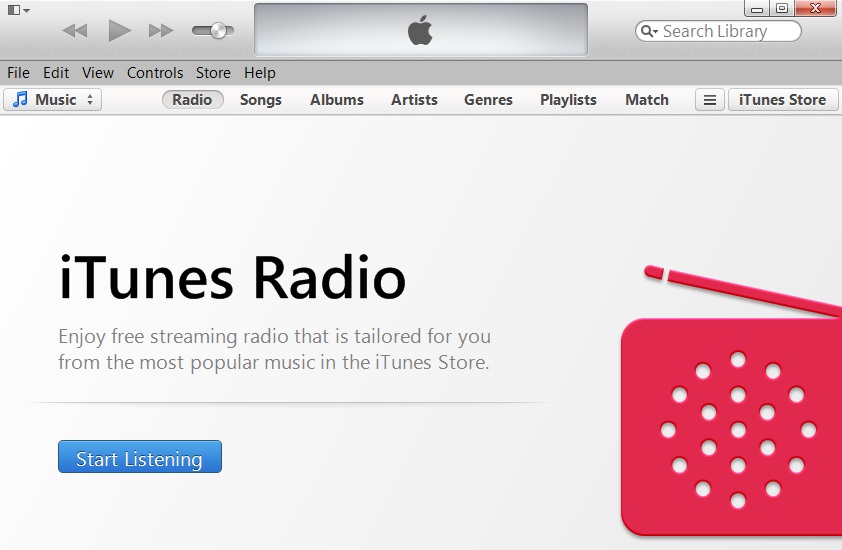
The picture below shows you a screenshot of iTunes 11:
2014-04-28, ∼5322🔥, 0💬
Related Topics: