Launch iBooks and View Book Library
Q
How to launch iBooks and view book library on my iPhone?
✍: FYIcenter.com
A
 You can follow this tutorial to launch iBooks and view book library on my iPhone.
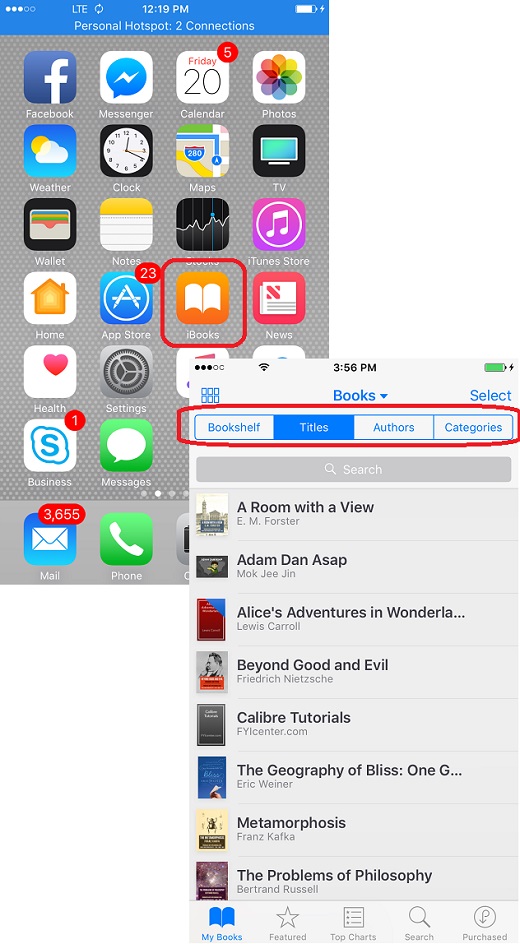
1. Tap on the iBooks icon on the start screen of your iPhone. You see iBooks started and displaying a list of books in your book library. You may see no book, if your book library is empty.
2. Select different tabs to sort the book list differently:
- Bookshelf - Display most recently read book first.
- Titles - Sort books by book titles.
- Authors - Sort books by book authors.
- Categories - Sort books by categories.
4. Tap on any book to start reading the book.
The picture below shows you how to launch iBooks and view book library:
2018-06-06, ∼3017🔥, 0💬
Related Topics:


