Duplicating Photos with iPhone Photos App
How to duplicate a photo on my iPhone? I want to keep the original photo and make changes on the second copy.
✍: FYIcenter.com
 There is no such function in the Photos app on your iPhone
that allows you to duplicate a photo.
It's seems to be a bad design from Apple.
There is no such function in the Photos app on your iPhone
that allows you to duplicate a photo.
It's seems to be a bad design from Apple.
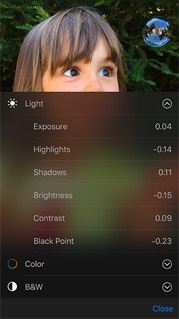
But in many cases, you don't really need to duplicate a photo when making changes. iPhone will keep the original photo for you internally to allow to revert back at any time.
For example, you can take a photo with your iPhone. Change the size to make it smaller. Share modified photo on Facebook with your friend. Then revert it back to the original photo for archiving purpose.
If you really want to duplicate a photo, you can follow these steps:
1. Open the original photo in Photos app.
2. Tap share icon, select "Add to Notes" and "Save". A new Note is created with the selected photo on your iPhone.
3. Open Notes app, and go to ON MY IPHONE > Notes. You see the new Note.
4. Open the new Note. You see the copy of the photo.
5. Tap share icon, select "Save Image". A copy of the photo is saved back to Photos app.
6. Open Photos app again. You see a duplicate photo listed.
The picture below shows you how to duplicate a photo with Photos app and Notes app
on your iPhone:
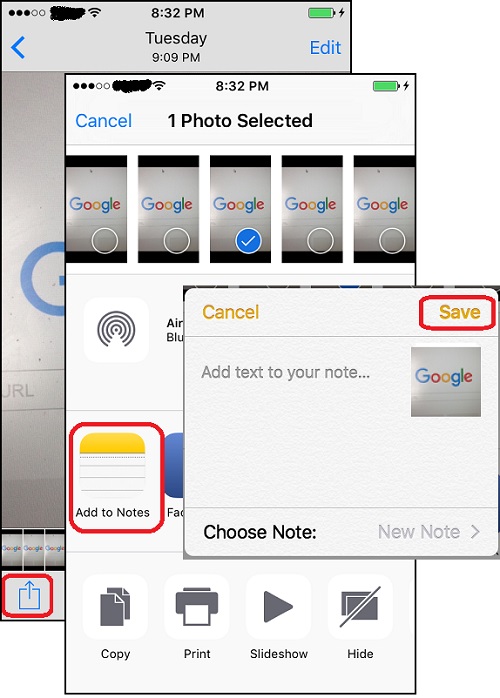
Note that the duplicated photo resolution is reduced to 1M pixels. So you should keep the original picture, which has a higher resolution.
⇒ Managing iPhone Photos with iCloud
⇐ Reverting Edited Photos with iPhone Photos App
2016-03-11, ∼3587🔥, 0💬
Related Topics: