View and Stop Running Service
How to View Details and Stop a Running Service on Motorola phone?
✍: FYIcenter.com
 If you want to View Details and Stop a Running Service,
you can follow this tutorial.
If you want to View Details and Stop a Running Service,
you can follow this tutorial.
1. Turn on "Developer Options" on your phone as shown in the previous tutorial.
2. Go to "Settings > Systems > Developer Options > Running Services". You see a list of apps, their running services, memory usages and execution times.
3. Tap on "Moto Note" in the list. You see that it has 1 process, which has 1 service.
Application: Moto Note
|- Process: com.motorola.stylus
   |- Service: StylusService
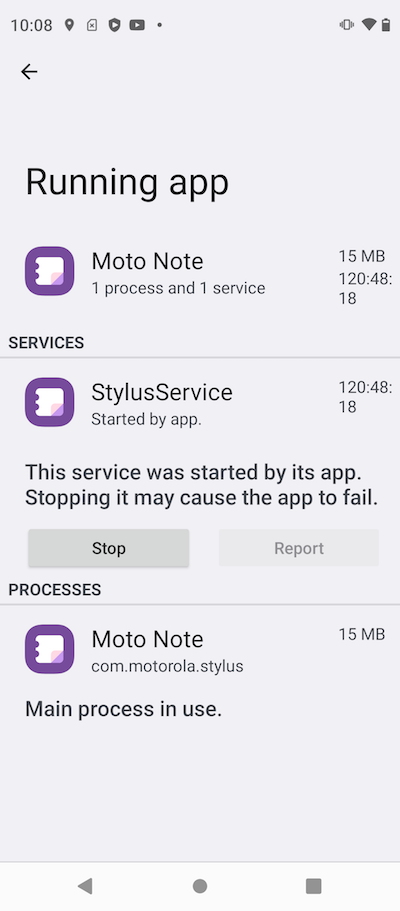
4. Tap on "Stop" button, if you want to terminate the running service.
Warning: Terminating a service may cause problems for applications that are using the service.
⇒ Commonly Used Services on Motorola Phone
⇐ List Running Services on Motorola Phone
2023-07-08, ∼6844🔥, 0💬
Related Topics:

