Login to iCloud.com with Browser
Can I login to iCloud.com with browser? I am in a public library and want to look up my friend phone number saved in iCloud.
✍: FYIcenter.com
 Yes. You can login to iCloud.com with a browser on any public computers
by following these steps:
Yes. You can login to iCloud.com with a browser on any public computers
by following these steps:
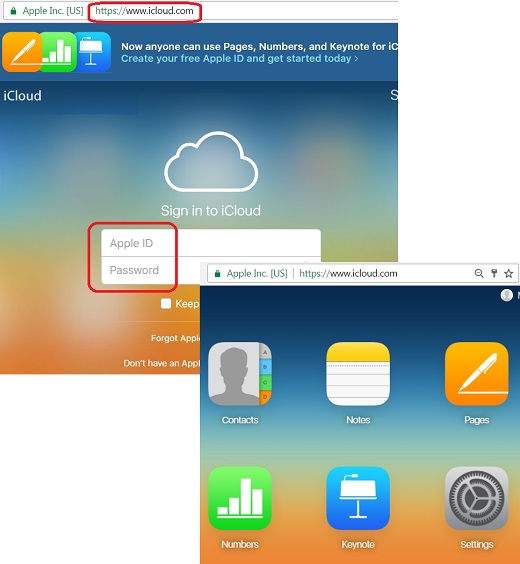
1. Open a Web browser and go to https://www.icloud.com. You see the login page showing up.
2. Login with Apple ID (the email address you used to created your iCloud account) and password.
3. Complete the Two-Factor Authentication process by taking a one-time verification code on a trusted Apple device, or in a text message on a trusted cell phone number. Security questions and answers are no longer used in the login process.
4. Agree with the terms and conditions, if you this is your first time login.
5. Review items on your iCloud home page.
Now you can start to access phone books, notes, presentations and other document.
The picture below shows you how to login to iCloud.com with a Web browser:
⇒ Apple Account Settings with Browser
2017-09-28, ∼5746🔥, 0💬
Related Topics: