eBook Bookmarks on iBooks
Q
How to add bookmarks in eBooks with iBooks?
✍: FYIcenter.com
A
 You can follow this tutorial to add bookmarks
when reading eBooks on iBooks.
You can follow this tutorial to add bookmarks
when reading eBooks on iBooks.
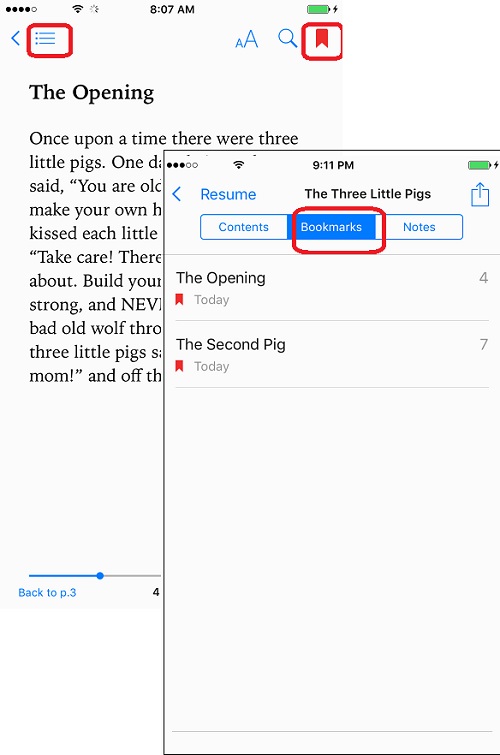
1. Tap on the bookmark icon near the top right corner on the page where you want to add a bookmark. You see the bookmark icon is highlighted indicating this page is bookmarked.
2. Tap on the menu icon near the top left corner. You see menu option tabs.
3. Tap on "Bookmarks" tab. You see a list of bookmarks you have added in the book. You can tap on any bookmark to jump to the bookmarked page.
The picture below shows you how to add bookmarks when reading eBooks on iBooks:
⇒ Save EPUB Books from Email to iBooks
2018-06-01, ∼4049🔥, 0💬
Related Topics:
