Register FitPro Profile
How to register a FitPro online profile?
✍: FYIcenter.com
 You can follow these steps to register a new profile on the FitPro server.
1. Download and install FitPro as shown in the provious tutorial.
2. Open FitPro app. You will see the FitPro home screen.

3. Tap on "Mine" near the bottom. You will see the FitPro login screen.
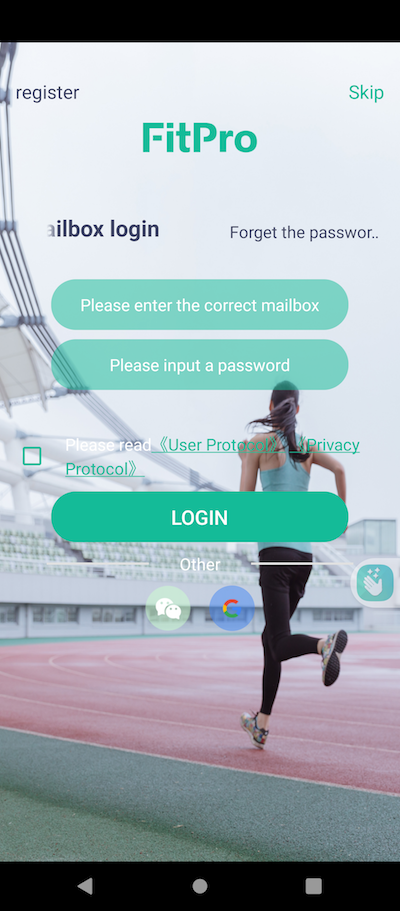
4. Tap on "register" near the top left corner. You will see the registration screen.
5. Enter a valid email address and a new password.
6. Finish registration.
7. Logout and login again to verify your password.
Note that FitPro server will not send any emails to validate your email address. Your email address will be used only if you request to reset the password by clicking the "Forget the password" link.
2025-06-18, ∼2267🔥, 0💬
Related Topics:

