Get Free Books from Book Store
How to find and get some free books from the Apple book store?
✍: FYIcenter.com
 You can follow this tutorial to find and get some free books from the Apple book store.
1. Launch iBooks on your iPhone. You see your book library list.
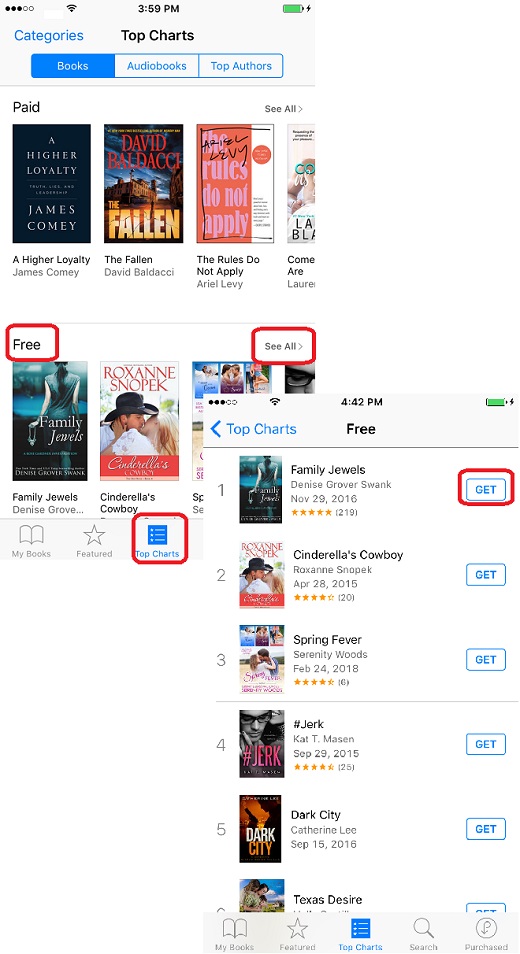
2. Tap on the "Top Carts" icon at the bottom of the screen. You see lists of top selling books in different categories.
3. Tap on "See All" in the "Free" category. You see a list of top selling free books.
4. Tap on "GET" to get any book from the list.
5. Wait for the download to finish. You see the downloaded book showing up in the book library.
The picture below shows you how to find and get some free books from the Apple book store:
⇒ Open and Read Books on iBooks
2018-06-06, ∼3046🔥, 0💬
Related Topics:

