Force Sensor Commands on Apple AirPods Pro
Q
What are Force Sensor commands on my Apple AirPods Pro?
✍: FYIcenter.com
A
 Your AirPods Pro supports Force Sensor commands similar to
double-tap commands on your AirPods.
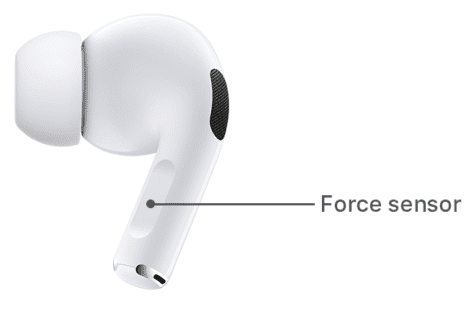
The force sensor is located on the stem of an AirPod Pro.
Your AirPods Pro supports Force Sensor commands similar to
double-tap commands on your AirPods.
The force sensor is located on the stem of an AirPod Pro.
1. Single-press the force sensor to play and pause your audio content.
2. Double-press the force sensor to skip forward to play the next song.
3. Triple-press the force sensor to skip backward to play the same song again.
⇒ Siri Voice Commands on Apple AirPods
2021-02-04, ∼3753🔥, 0💬
Related Topics:

