Failed to Download from Galaxy Store
Q
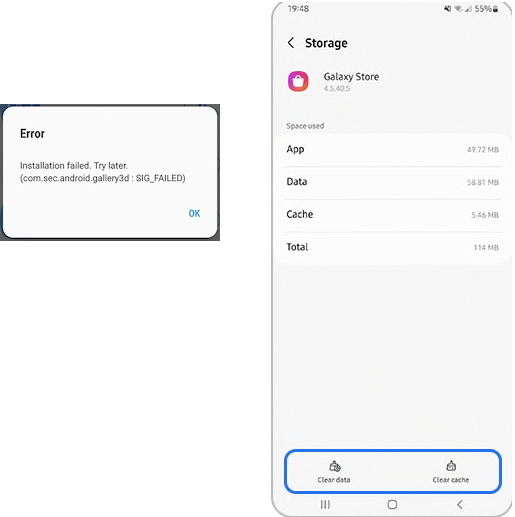
Why am I getting the "Installation failed. Try later" error, when downloading from Galaxy Store? It was working yesterday.
✍: FYIcenter.com
A
 If you are getting the "Installation failed. Try later" error
when using Galaxy Store,
you resolve the issue by clear its cache.
If you are getting the "Installation failed. Try later" error
when using Galaxy Store,
you resolve the issue by clear its cache.
1. Tap on "Settings > Apps > Galaxy Store > Storage". You see storage usages.
2. Tap on "Clear data" and "Clear cache". This procedure will not delete any personal data.
3. Try to install an app again. It will work now.
⇒ Failed to Send Text Messages
⇐ Common Issues with Samsung Phone
2023-03-17, ∼2259🔥, 0💬
Related Topics:


