Background Services Created by Motorola Note
What are background services created by Motorola Note? Can I stop them to improve performance of my Motorola phone?
✍: FYIcenter.com
 Motorola Note is an app for your Motorola phone to allow you
to take and manage notes.
Motorola Note is an app for your Motorola phone to allow you
to take and manage notes.
There is 1 background service called "StylusService" started by Motorola Note under the com.motorola.stylus process. "StylusService" service allows you to use the stylus pen to take notes and operate the phone.
1. Go to "Settings > Systems > Developer Options > Running Services". You see a list of apps, their running services, memory usages and execution times.
2. Tap on "Moto Note" in the list. You see that it has 1 process, which has 1 service.
Application: Moto Note
|- Process: com.motorola.stylus
   |- Service: StylusService

Memory usage: 15 MB, execution time 120:46:18.
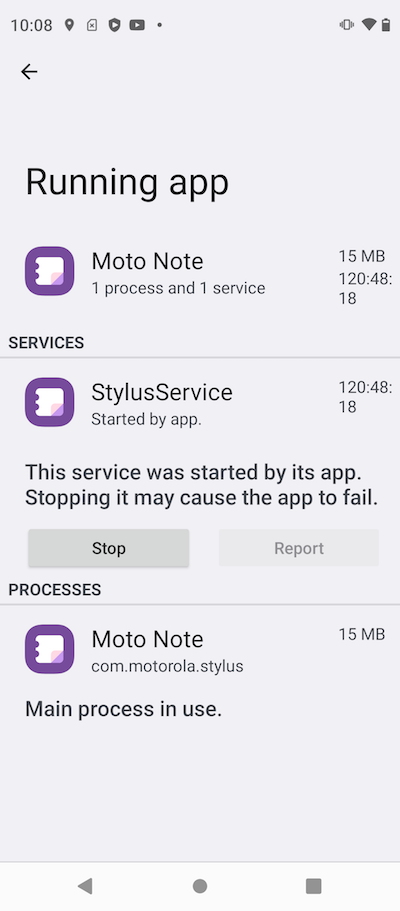
It is recommended to keep the "StylusService" service running, so that you can use the stylus pen at any time.
⇒ Background Services Created by Settings
⇐ Background Services Created by Motorola Moto
2023-08-03, ∼5506🔥, 0💬
Related Topics: