Accessing iCloud Drive with Web Browser
How to access iCloud Drive with a Web browser?
✍: FYIcenter.com
 If you have an Apple device and an Apple ID account,
you can access your iCloud Drive with a Web browser
as described below:
If you have an Apple device and an Apple ID account,
you can access your iCloud Drive with a Web browser
as described below:
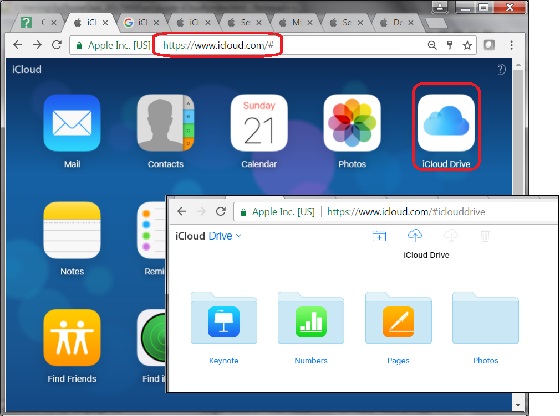
1. Open a Web browser and go to https://www.icloud.com. You see the login page showing up.
2. Login with Apple ID and password. You may need to enter a verification code or your security question answers to finish login.
3. Click "iCloud Drive" icon to access iCloud Drive. You see some folders like: Keynote, Numbers, Pages and others created by yourself.
3. Click "Pages" to open it. You see your Pages documents you saved previously in iCloud Drive.
The picture below shows you how to access iCloud Drive with a Web browser:
2017-07-25, ∼7318🔥, 0💬
Related Topics:
