Update Phone Contacts on iPhone
How to update a contact in Phone app on my iPhone? I want to add Mike's work phone number to his contact.
✍: FYIcenter.com
 Here are the correct steps to update a contact in Phone app on your iPhone.
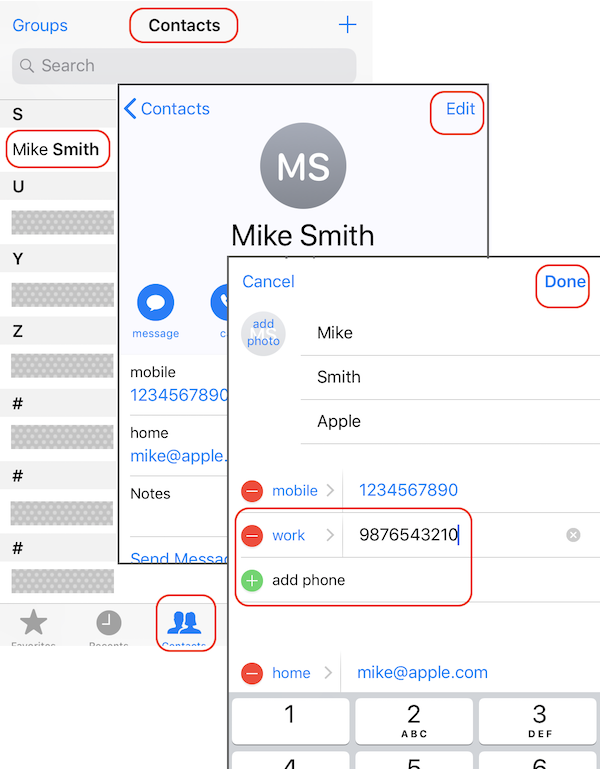
1. Open the Phone app: "Home > Phone". You see "Contacts" option listed at the bottom.
2. Tap on "Contacts". You see the phone contact directory.
3. Scroll done to find and the contact "Mike Smith".
4. Tap on "Mike Smith". You see his contact details displayed.
5. Tap on "Edit". You see the contact edit form.
6. Tap on "Add phone" to add a second phone entry. And enter his work phone number.
7. Tap on "Done" to save changes.
The picture below shows you how to update a contact in Phone app on your iPhone:
⇒ Autodialing Phone Extension with Pause on iPhone
2020-04-30, ∼2352🔥, 0💬
Related Topics:

