Verify Bluetooth Earphone Connection on iPhone
Q
How to verify that my Bluetooth earphone is connected correctly to my iPhone?
✍: FYIcenter.com
A
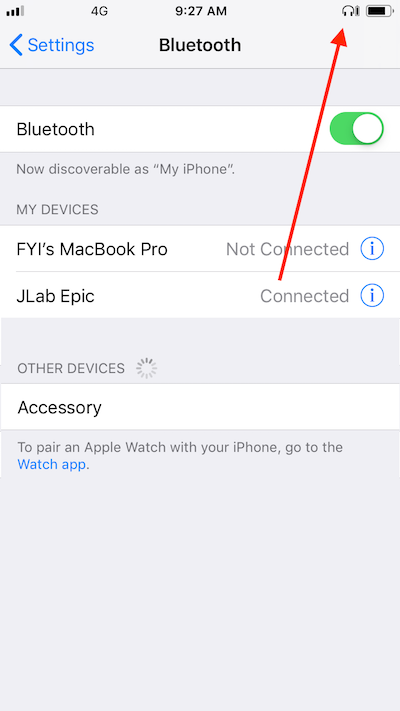
 The best way to verify your Bluetooth earphone connection on your iPhone
is to look for the earphone icon displayed on the top of your iPhone screen.
The best way to verify your Bluetooth earphone connection on your iPhone
is to look for the earphone icon displayed on the top of your iPhone screen.
Your Bluetooth earphone is not connected correctly, if you don't see the earphone icon.
Your Bluetooth earphone is connected correctly, if you see the earphone icon on the top of your iPhone screen.
The picture below shows you the error when browsing files on your iPhone over Bluetooth connection from your macOS computer:
⇒ Play Music with Bluetooth Earphone on iPhone
2020-03-14, ∼2218🔥, 0💬

