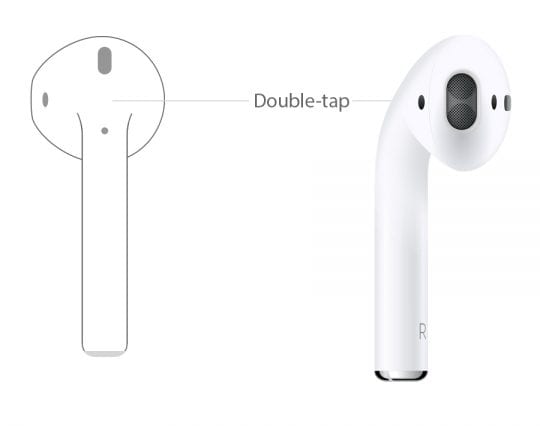
Double-Tap Commands on Apple AirPods
What are Double-Tap commands on my Apple AirPods?
✍: FYIcenter.com
 When your AirPods are in your ears and connected to your iPhone,
they can be configured to accept different double-tap commands:
When your AirPods are in your ears and connected to your iPhone,
they can be configured to accept different double-tap commands:
1. Put AirPods in your ears and reconnect them with your iPhone as shown in the last tutorial.
2. Tap on "Settings > Bluetooth" on you iPhone. You see "AirPods" listed as a connected device.
3. Tap on (i) next to "AirPods". You see a list of AirPods settings as shown below:
4. Change "DOUBLE-TAP ON AIRPOD > Left" to "Play/Pause" command.
5. Change "DOUBLE-TAP ON AIRPOD > Right" to "Siri" command.
6. Double-tap the back of the top part of the left AirPod, music will be paused. Double-tap it again, music will be resumed.
7. Double-tap the back of the top part of the right AirPod, Siri will be actived and ready for your voice command.
⇒ Force Sensor Commands on Apple AirPods Pro
2021-02-04, ∼3959🔥, 0💬
Related Topics:
