Public Wi-Fi Network Notification
How to Receive Public Wi-Fi Network Notification automatically on Android?
✍: Guest
 When you move out of range of your home or office Wi-Fi network, the connection
to it will be lost. However, many bars, restaurants and other public places
offer free Wi-Fi and allow anyone to connect to their network.
When you move out of range of your home or office Wi-Fi network, the connection
to it will be lost. However, many bars, restaurants and other public places
offer free Wi-Fi and allow anyone to connect to their network.
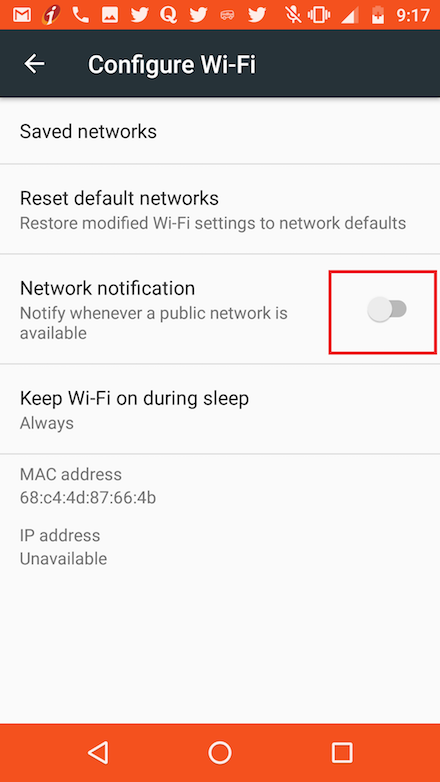
If you want to be notified on your phone when you are in range of a public Wi-Fi network, turn on the network notification option in the Wi-Fi settings menu (often under Advanced settings).
As long as Wi-Fi is turned on (even if not connected), you will now be notified each time your smartphone detects the signal of an open network you can connect to.
⇒ Using Android App Repositories
⇐ Check Wi-Fi Connection Strength and Details
2021-08-21, ∼3222🔥, 0💬
Related Topics: