List Running Services on Motorola Phone
Q
How to list running services on Motorola phone?
✍: FYIcenter.com
A
 On your Motorola phone, there are always some services
running in the background. Here is how to get a list of them:
On your Motorola phone, there are always some services
running in the background. Here is how to get a list of them:
1. Turn on "Developer Options" on your phone as shown in the previous tutorial.
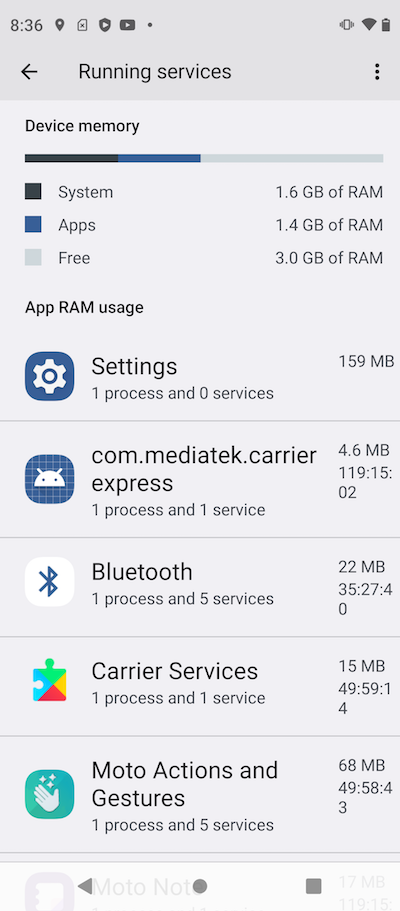
2. Go to "Settings > Systems > Developer Options > Running Services". You see a list of running services, their memory usages and execution times:
Settings                       147 MB
com.mediatek.carrierexpress      5 MB   119:09:47
Bluetooth                       15 MB    35:22:30
Carrier Services                15 MB    49:55:51
Moto Actions and Gestures       68 MB    49:55:30
Moto Note                       17 MB   119:12:14
Google                         206 MB    29:37:35
Settings                         6 MB   119:14:22
Games                           25 MB   118:52:40
Device Management              263 MB    43:28:34
Device Care                     12 MB   119:15:05
System UI                       44 MB   118:42:17
Gboard                         103 MB    45:58:12
Android Services Library        11 MB   119:16:23
...
⇒ View and Stop Running Service
⇐ What Is Background Service on Motorola Phone
2023-07-08, ∼7369🔥, 0💬
Related Topics: