Use Google Gmail on LG Phone
Q
How to Use Google Gmail on my LG Phone? I have added Google account to my phone.
✍: FYIcenter.com
A
 You can follow this tutorial to Use Google Gmail on your LG phone.
1. Go to "Settings > Accounts > Google". You see Google account settings.
2. Turn on Gmail.
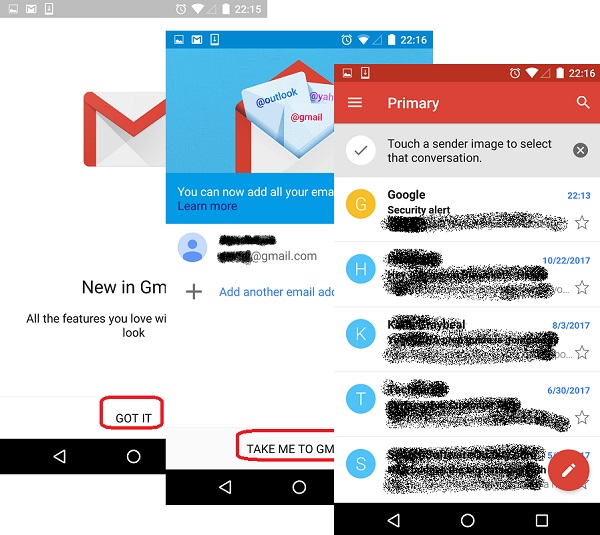
3. Go to "Apps > Gmail". You see the "New in Gmail" message screen.
4. Tap on "GOT IT" on the message screen. You see the "Add another email address" screen.
5. Tap on "TAKE ME TO GMAIL". You see the emails from your Gmail inbox listed.
The following picture shows you how to Manage Google Account Settings on your LG phone:
⇒ Connecting LG Phone to Windows
⇐ Google Account Settings on LG Phone
2018-01-27, ∼4379🔥, 0💬
