View Recent Photos from iPhone Camera App
Q
What is the quickest way to view recent photos from the iPhone Camera app? I want see the photo I took a moment ago.
✍: FYIcenter.com
A
 If you just took some photos with your iPhone camera app,
you view them quickly from the Camera app as described below:
If you just took some photos with your iPhone camera app,
you view them quickly from the Camera app as described below:
1. Open up the iPhone Camera app.
2. Take some photos.
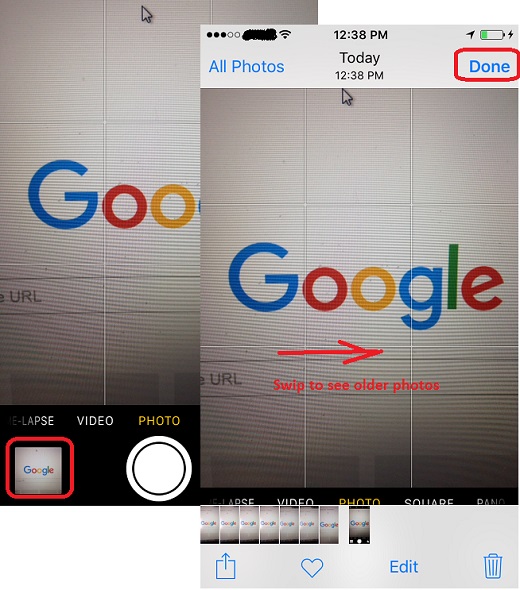
3. Tap on the photo view thumbnail next to the shutter icon. You see the last photo you took displayed in Photos app.
4. Swipe to the right to view the previous photo.
5. Tap on "Done" on the top left corner to go back to the Camera app.
The picture below shows you how to view recent photos from the iPhone Camera app:
2017-09-01, ∼2426🔥, 0💬
Related Topics:

