Use iPhone Earbuds as Remote Camera Shutter
How to use iPhone earbuds as a remote camera shutter to take photos? I have my iPhone camera mounted on a tripod.
✍: FYIcenter.com
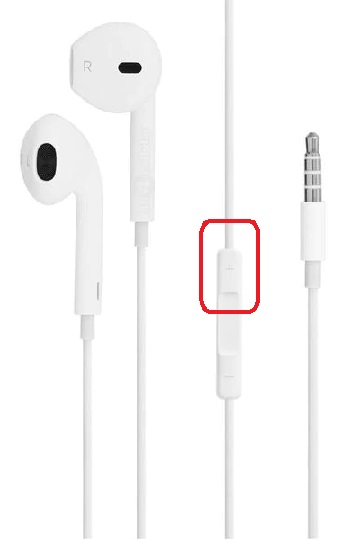
 When you connect iPhone earbuds to your iPhone, you can use the volume up button
on the connection line as remote shutter to take photos:
When you connect iPhone earbuds to your iPhone, you can use the volume up button
on the connection line as remote shutter to take photos:
1. Mount your iPhone on a tripod.
2. Open up the camera on your iPhone.
3. Connect your iPhone earbuds to the iPhone.
4. Setup focus and exposure.
5. Take your hands of the iPhone.
6. Push the volume up button on the connection line of your earbuds. This will avoid taking blurry photos because iPhone shakes slightly if you touch the shutter on the phone.
The picture below shows you the volume up button on the earbuds connection line
to be used as a remote camera shutter:
⇒ View Recent Photos from iPhone Camera App
2017-09-20, ∼3771🔥, 0💬

