Find the Android Version of LG Phone
Q
How find the Android Version number of my LG phone?
✍: FYIcenter.com
A
 To find the Android Version number of your LG phone, you can:
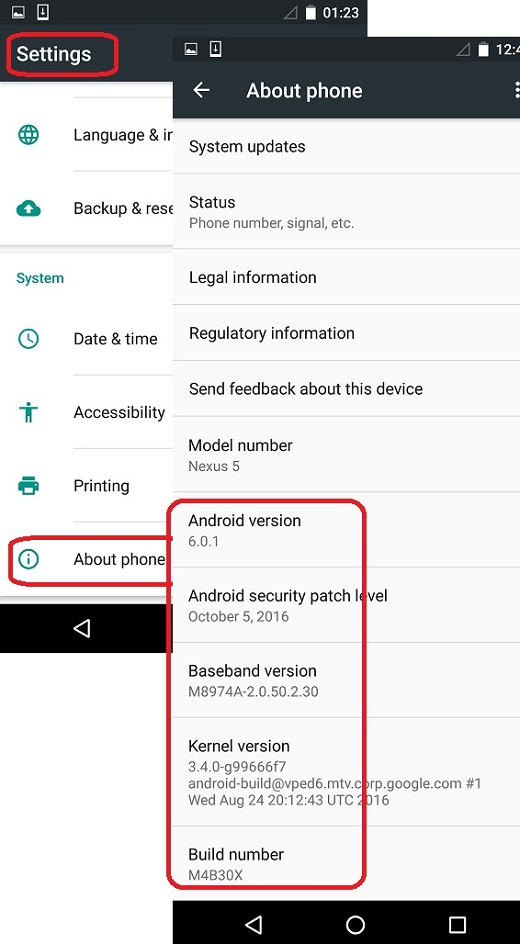
1. Go to "Settings > About Phone". You see the detailed information about your LG phone:
System updates - Open to see if updates available

Status - Phone number, signal, etc.

Legal information

Regulatory information

Send feedback about this device

Model number - Nexus 5

Android version - 6.0.1

Android security patch level - October 5, 2016

Baseband version - M8974A-2.0.50.2.30

Kernel version - 3.4.0-g99666f7

Build number - M4B30X
The version # of Android as the operating system of your LG phone is listed as 6.0.1.
The following picture shows you how to find the Android Version number
of your LG phone:
2018-02-01, ≈12🔥, 0💬
Related Topics: